Recommended ages: 8–13 Time: 40–50 minutes Materials: four or five two-sided paper cards, pencil, and paper. No computer required.
Computers are often described as machines that understand zeros and ones. That's a useful starting point, but incomplete. A computer uses physical states, such as different voltage ranges, to represent bits. We choose to write those states as 0 and 1. The same bit patterns can mean different things depending on how we interpret them.
Begin with a question
Imagine a lamp that can be either off or on. How many messages can it send? Two: off and on. What if you have two lamps? List the possible patterns before continuing.
With two independent lamps we can make 00, 01, 10, and 11: four patterns. Three lamps give eight patterns. Each additional bit doubles the number of possible patterns.
Build a four-bit counter
Cut four cards. Write 0 on one side and 1 on the other. Across the table label the positions 8, 4, 2, 1 from left to right. These are the place values in binary.
- Show 0000. All cards face up as zero: the total is 0.
- Turn over the 1 card: 0001 represents 1.
- Show 0010: the 2 card is on, so the total is 2.
- Show 0101: the 4 and 1 cards are on, so the total is 5.
- Show 1011: 8 + 2 + 1 = 11.
- Ask students to make 15 without being shown the answer. They should choose 1111.
Now try to represent 16. You cannot do it with four bits: their largest sum is 8 + 4 + 2 + 1 = 15. Add a fifth card labeled 16 to the left. Suddenly 10000 represents 16.
How many patterns?
One bit has 2 patterns; two bits have 2 × 2 = 4; three bits have 8; four bits have 16. In general, n bits represent 2n distinct patterns. If those patterns are used for nonnegative whole numbers starting at zero, the values range from 0 through 2n − 1.
That last condition matters: there are other ways to interpret the same bits, including signed integers. The hardware does not magically know whether 1111 means fifteen, a negative number in a particular signed encoding, or something else.
Numbers aren't the only kind of information
Agree on a code: 000 = A, 001 = B, 010 = C, 011 = D. Now 010 is no longer being used as the number two; in this game it means the letter C. A picture can likewise be represented by agreed values for each pixel. Computers rely on formats and rules to interpret the bits correctly.
Extension: Invent a four-bit alphabet for sixteen symbols. Send a secret message to another student, who must use the same key to decode it. This is encoding, not encryption: anyone with the key can read it.
Questions and answers
- How many patterns can five bits represent? 32.
- What is 1101 in unsigned binary? 8 + 4 + 1 = 13.
- Why can't four bits count to 16 in ordinary unsigned binary? The largest value is 15, although there are sixteen total values including zero.
- Can the same pattern represent a letter and a number? Yes, if the interpretation rules differ.
Optional hands-on extension: Turing Tumble
Turing Tumble is a marble-powered mechanical computer. Ramps and moving parts guide marbles through sequences of decisions, and its mechanical bit pieces can retain a physical state. It is a useful visual companion to the paper-card binary activity, but owning the set is not necessary to complete this lesson.
- If you have Turing Tumble, begin with a simple puzzle from its included puzzle book that introduces a bit piece. Watch how the part changes position as marbles pass.
- Pause before releasing another marble. Predict which way the piece will direct it and explain which of its positions you are calling 0 and which you are calling 1.
- Compare the physical two-state piece with the paper card. Both can represent one bit, but neither inherently means a number until we agree on an interpretation.
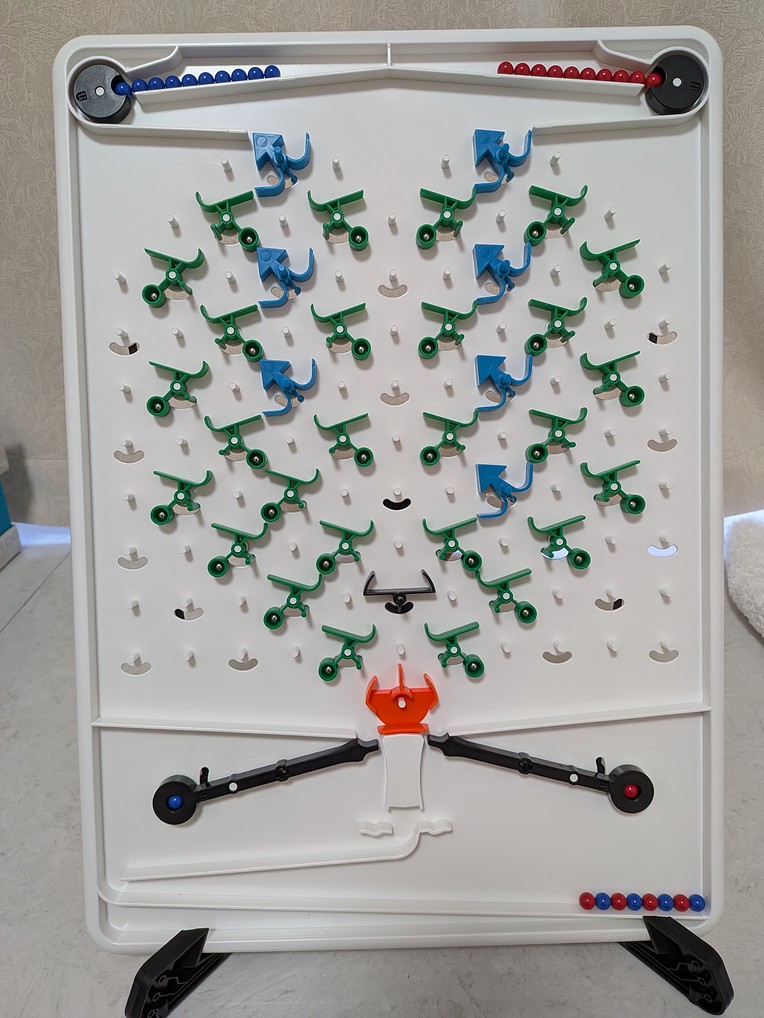
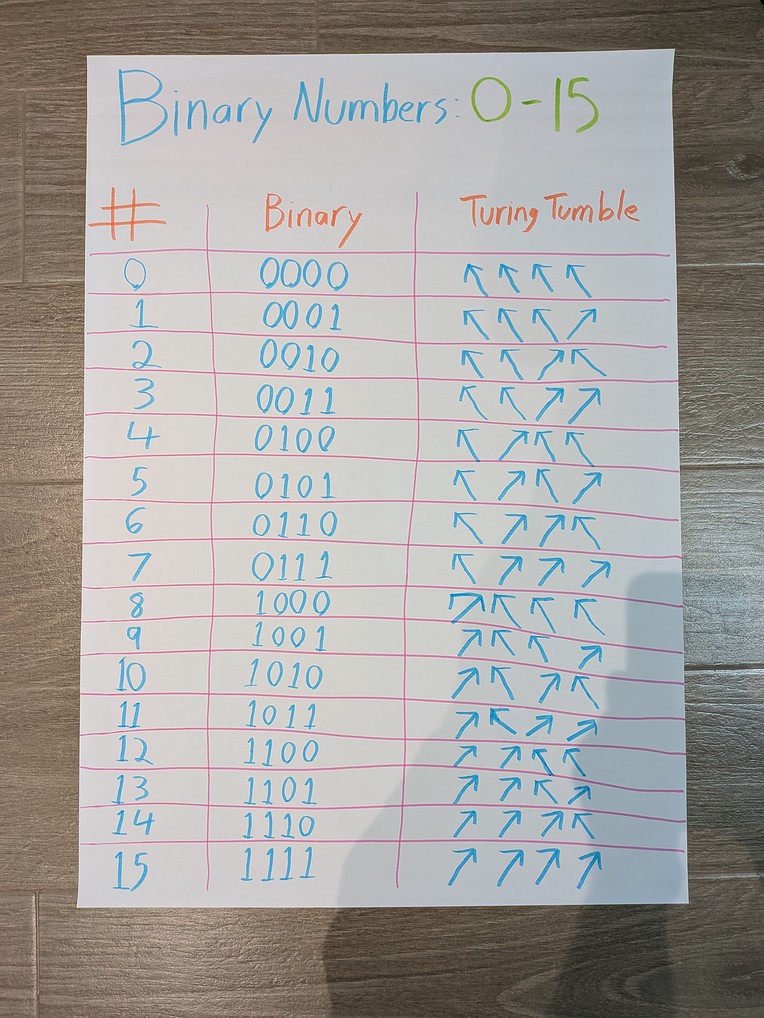
Important distinction: Turing Tumble is a mechanical demonstration of computation, not a model of how electrical voltages move through a modern processor. In later lessons, the same set can make logic and stored state more concrete.
Next step
A collection of bits can store a pattern, but how does a circuit operate on those patterns? The next lesson introduces logic gates, tiny building blocks for Boolean operations.